 Md Iearulislam
A useful list in a few steps
Choose dates, trip type and activities. Every suggestion says why it appears, such as “7 days + 1 spare”. Untick what you don't need before the list is created.

Duffly is a packing list for your trips. Build a list and see what still needs attention before you leave – no sign-up, no ads, and your lists stay on your device.
Coming soon to Google Play and the App Store
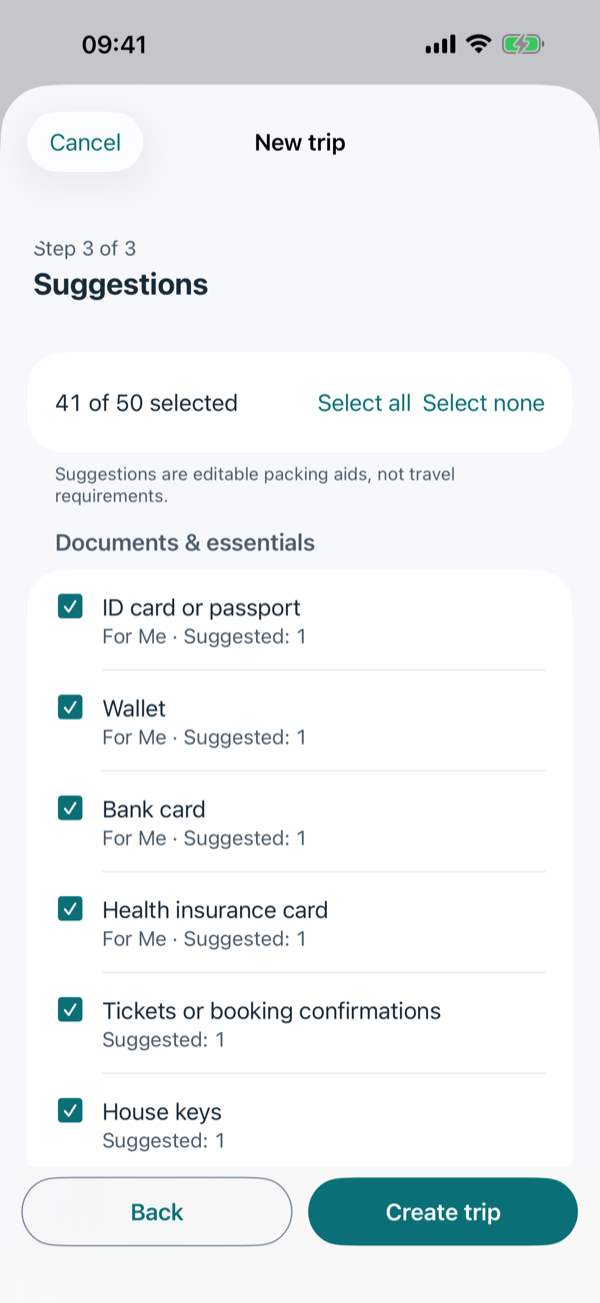
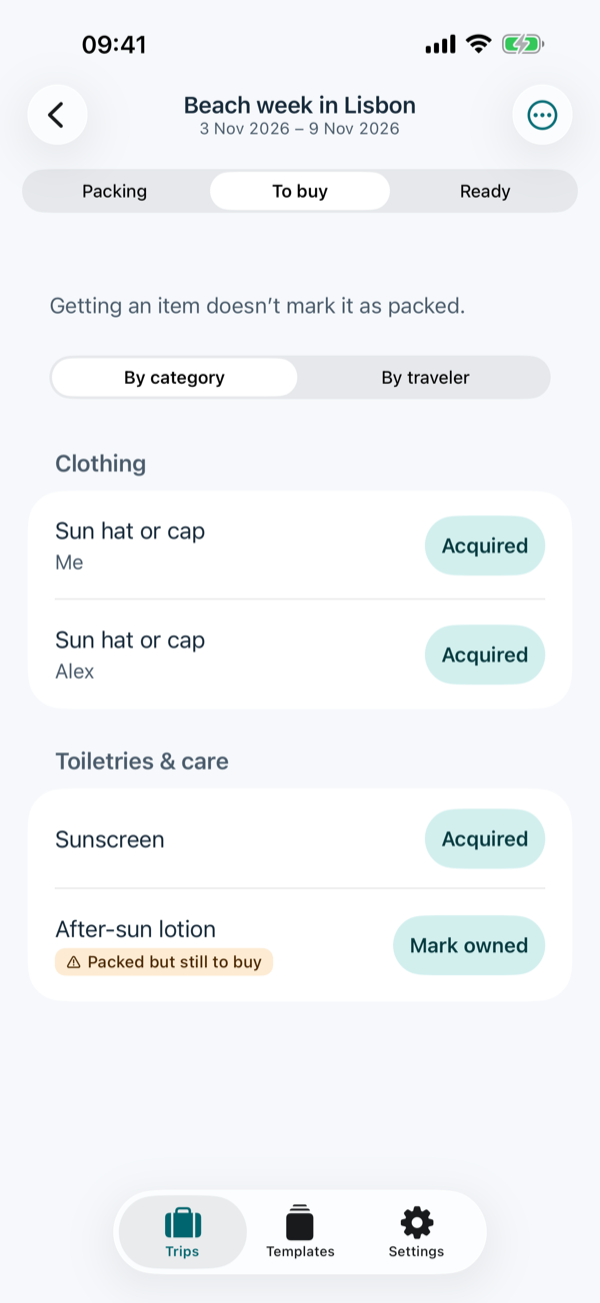
Choose dates, trip type and activities. Every suggestion says why it appears, such as “7 days + 1 spare”. Untick what you don't need before the list is created.
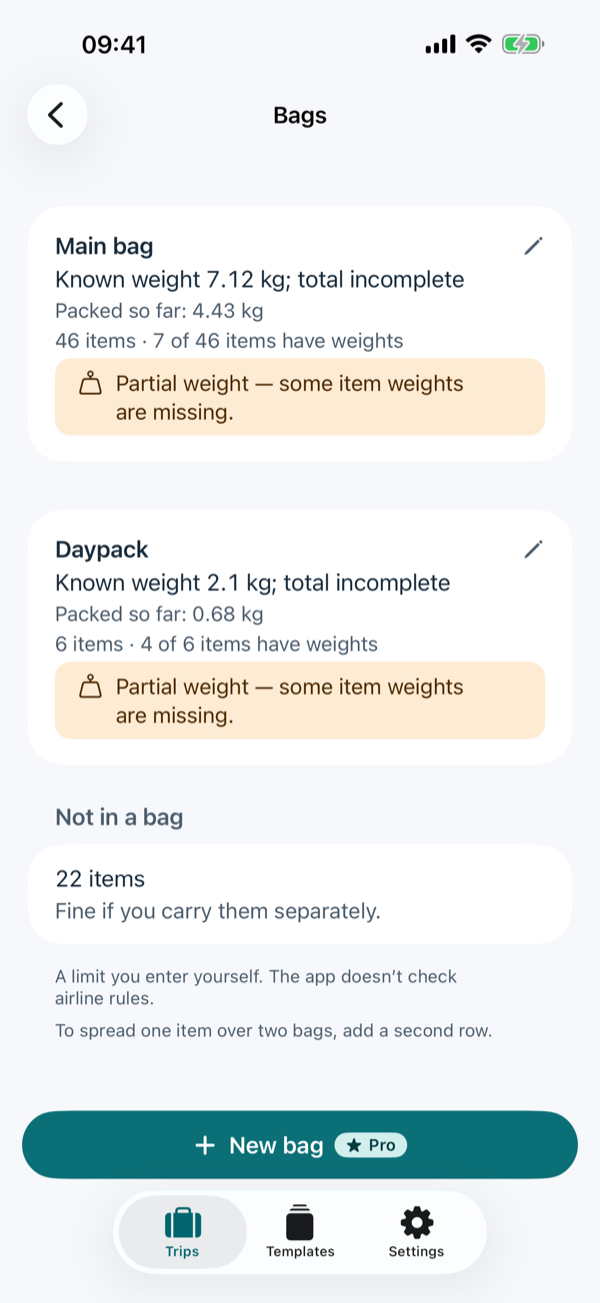
What you still need to buy and what is already in the bag stay visible as separate states. A “To buy” list collects open purchases.
Missing essentials, open purchases, your tasks before you leave and weight notes at a glance.
When weights are missing you see a partial weight, not a misleading total. Bag limits are your own entries; the app doesn't check airline rules.
No account, no ads, no tracking. Your lists stay on your device and you export backups yourself. Uninstalling may remove local data.
No subscription. The price is shown in the store. Lifetime Pro belongs to your Google Play or Apple account and does not carry over between Android and iPhone. If Pro is no longer active, the travelers, bags and templates you already have stay available.
Neither version has cloud sync, weather, PDF export or live collaboration.
No. The app works without signing in. Only buying and restoring Lifetime Pro needs your Google Play or Apple account and an internet connection.
No. Your trips and lists are stored on your device and are not sent to us. Details in the privacy policy.
Export a backup on the old phone and import it on the new one – also between Android and iPhone. Automatic device backups don't include your trips. Step by step on the help page.
No. Purchases are separate per platform. On a new device of the same platform, use “Restore purchase” to get Pro back.
No. Weights and bag limits are your own estimates. The app doesn't check airline rules, travel documents or entry requirements.
Suggestions are editable packing aids, not travel requirements. Check your travel documents and airline rules separately.
More help: Duffly help and contact